13 KiB

Firefly
A Fresh and Beautiful Astro Blog Theme Template






🚀 Quick Guide: 🖥️Live Demo / 📝Documentation / 🍀My Blog
📖 README: 简体中文 | 繁體中文 | English | 日本語 | Русский
⚡ Static Site Generation: Ultra-fast loading speed and SEO optimization based on Astro
🎨 Modern Design: Clean and beautiful interface with customizable theme colors
📱 Mobile-Friendly: Perfect responsive experience with mobile-specific optimizations
🔧 Highly Configurable: Most features can be customized through configuration files

Tip
In important layouts, Firefly innovatively adds dual sidebars, article grid (multi-column) layout, masonry layout,
Includes site statistics, calendar component, table of contents and other widgets to enrich the sidebar,
While also retaining fuwari layout system, freely switchable in the configuration file.
For more layout configurations and demos, please see: Firefly Layout System Details
✨ Features
Core Features
- Astro + Tailwind CSS - Ultra-fast static site generation based on modern tech stack
- Smooth Animations - Swup page transition animations for silky smooth browsing experience
- Responsive Design - Perfect adaptation for desktop, tablet and mobile devices
- Multi-language Support - i18n internationalization, supports Simplified Chinese, Traditional Chinese, English, Japanese, Russian
- Full-text Search - Client-side search based on Pagefind, supports article content indexing. Also supports MeiliSearch search engine
Personalization
- Sidebar - Supports single sidebar, dual sidebar configuration, freely switchable in frontend
- Article Layout - Supports list (single column) and grid (multi-column/masonry) layout, freely switchable in frontend
- Font Management - Custom font support with rich font selector
- Footer Configuration - HTML content injection, fully customizable
- Navbar Customization - Logo, title, links fully customizable
- Wallpaper Mode Switching - Banner wallpaper, fullscreen wallpaper, solid background, freely switchable in frontend
- Theme Color Customization - 360° hue adjustment, supports light/dark/system three modes, freely switchable in frontend
Page Components
- Guestbook - Supports guestbook page with integrated comment system
- Announcement Bar - Top announcement notification, supports closing and custom styles
- Mascot - Supports both Spine and Live2D animation engines
- Site Statistics - Displays article, category, tag counts, total word count, running time, last update time
- Site Calendar - Displays current month calendar and published articles for the month
- Sponsor Page - Multiple payment methods, payment QR codes, sponsor list, in-article sponsor button
- Share Poster - Supports generating beautiful article share posters containing article summary, QR code, etc.
- Sakura Effect - Supports sakura effect, fullscreen sakura animation
- Friend Links - Beautiful friend link display cards
- Ad Component - Supports custom sidebar advertising content
- Bangumi - Display anime and game tracking based on Bangumi API
- Comment System - Integrates Twikoo, Waline, Giscus, Disqus, Artalk comment systems
- Visit Counter - Supports calling Waline, Twikoo built-in visit tracking
- Music Player - Based on APlayer, supports local music and Meting API online music
Content Enhancement
- Image Lightbox - Fancybox image preview functionality
- Floating TOC - Dynamically displays article table of contents, supports anchor jumping, shown when sidebar TOC is hidden
- Email Protection - Prevent automated crawlers from directly scraping email addresses to avoid spam
- Sidebar TOC - Dynamically displays article table of contents, supports anchor jumping
- Enhanced Code Blocks - Based on Expressive Code, supports code folding, line numbers, language identification
- Math Formula Support - KaTeX rendering engine, supports inline and block formulas
- Markdown Extensions - Markdown extended features, also includes Admonitions, GitHub repository cards, Expressive Code
- Random Cover Images - Supports fetching random cover images via API
SEO
- SEO Optimization - Complete meta tags and structured data
- RSS Feed - Automatically generates RSS Feed
- Sitemap - Automatically generates XML Sitemap with page filtering configuration
📝 Planned...
- Refactor Live2D Mascot
- Continuous Animation Smoothness Optimization
- More features in continuous development...
If you have useful features and optimizations, please submit a Pull Request
🚀 Quick Start
Requirements
- Node.js ≤ 22
- pnpm ≤ 9
Local Development
-
Clone the repository:
git clone https://github.com/Cuteleaf/Firefly.git
cd Firefly
First Fork to your own repository then clone (recommended)
git clone https://github.com/you-github-name/Firefly.git cd Firefly -
Install dependencies:
# Install pnpm if not installed npm install -g pnpm # Install project dependencies pnpm install -
Configure blog:
- Edit configuration files in
src/config/directory to customize blog settings
- Edit configuration files in
-
Start development server:
pnpm devBlog will be available at
http://localhost:4321
Platform Hosting Deployment
-
Refer to the official guide to deploy your blog to Vercel, Netlify, GitHub Pages, Cloudflare Pages, EdgeOne Pages, etc.
Framework Preset:
AstroRoot Directory:
./Output Directory:
distBuild Command:
pnpm run buildInstall Command:
pnpm install
📖 Configuration
📚 Detailed Configuration Documentation: Check Firefly Documentation for complete configuration guide
Setting Website Language
To set the default language for your blog, edit the src/config/siteConfig.ts file:
// Define site language
const SITE_LANG = "zh_CN";
Supported language codes:
zh_CN- Simplified Chinesezh_TW- Traditional Chineseen- Englishja- Japaneseru- Russian
Configuration File Structure
src/
├── config/
│   ├── index.ts              # Configuration index file
│   ├── siteConfig.ts         # Site basic configuration
│   ├── backgroundWallpaper.ts # Background wallpaper configuration
│   ├── profileConfig.ts      # User profile configuration
│   ├── commentConfig.ts      # Comment system configuration
│   ├── announcementConfig.ts # Announcement configuration
│   ├── licenseConfig.ts      # License configuration
│   ├── footerConfig.ts       # Footer configuration
│   ├── FooterConfig.html     # Footer HTML content
│   ├── expressiveCodeConfig.ts # Code highlighting configuration
│   ├── sakuraConfig.ts       # Sakura effect configuration
│   ├── fontConfig.ts         # Font configuration
│   ├── sidebarConfig.ts      # Sidebar layout configuration
│   ├── navBarConfig.ts       # Navbar configuration
│   ├── musicConfig.ts        # Music player configuration
│   ├── pioConfig.ts          # Mascot configuration
│   ├── adConfig.ts           # Ad configuration
│   ├── friendsConfig.ts      # Friend links configuration
│   ├── sponsorConfig.ts      # Sponsor configuration
│   └── coverImageConfig.ts   # Article cover image configuration
⚙️ Article Frontmatter
---
title: My First Blog Post
published: 2023-09-09
description: This is the first post of my new Astro blog.
image: ./cover.jpg  # Or use "api" to enable random cover images
tags: [Foo, Bar]
category: Front-end
draft: false
lang: zh-CN      # Only set when article language differs from site language in `siteConfig.ts`
---
🧞 Commands
All commands need to be executed in the project root directory:
| Command | Action |
|---|---|
pnpm install |
Install dependencies |
pnpm dev |
Start local development server at localhost:4321 |
pnpm build |
Build site to ./dist/ |
pnpm preview |
Preview built site locally |
pnpm check |
Check for errors in code |
pnpm format |
Format your code using Biome |
pnpm new-post <filename> |
Create new article |
pnpm astro ... |
Execute astro add, astro check and other commands |
pnpm astro --help |
Display Astro CLI help |
🙏 Acknowledgments
- Special thanks to saicaca for developing the Fuwari template, which Firefly is based on
- Referenced blogger Kasuka's Bangumi Collection Display and Email Protection/Image Title solutions
- Referenced Mizuki's banner title, multi-level menu navbar, sakura effect, KaTeX, and Fancybox solutions
- Built with Astro and Tailwind CSS
- Uses MetingJS and APlayer music player
- Uses Chibi
Fireflymascot spine model provided by Bilibili creator 公公的日常 - Icons from Iconify
- Firefly-related image assets are copyrighted by miHoYo, the developer of "Honkai: Star Rail".
📝 License
This project is licensed under the MIT license. See the LICENSE file for details.
Copyright Notice:
Under the MIT license, you are free to use, modify, and distribute the code, but you must retain the above copyright notice.
🍀 Contributors
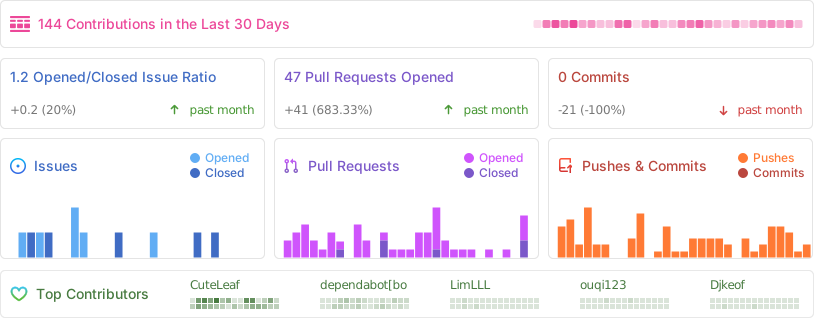
Thanks to the following contributors for their contributions to this project. If you have any questions or suggestions, please submit an Issue or Pull Request.